Some smart title

Some interesting text.

Giving the silent majority a voice

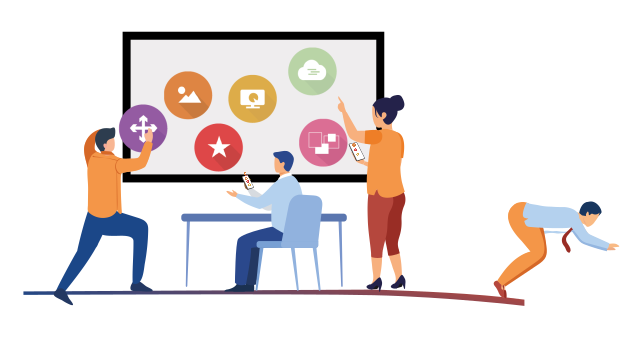
Add colour to dialogue. Create visual nuances via pointers, mood boards, sticky notes and much more. Activate participants remotely or face-to-face, through smart use of mobile devices.

Avoid black-and-white discussions

Give colour to dialogue, create visual nuances

feature

Focus

Realtime visualisations keep everyone engaged

feature

Inclusive dialogue

Each voice with its own colour visible in the dialogue

feature

GDPR-proof

Anonymous data storage complies with GDPR

feature

Reporting

Automatic visual reporting and export to Excel

modules

Different types of interactions

QANDR offers a wide variety of modules, each with its own interaction format. For all modules, if you play with them, you will discover different application forms.

Moodboard

For a visual brainstorm in which subjective topics such as atmosphere, style and mood are important

Read more

Pointer

Ask your participants to point something, for example on a packaging design, a map or a process diagram

Read more

Dilemma

Stimulate the discussion by asking participants to take a position, also visualize doubt and hesitation

Read more

Wordcloud

Create an associative brainstorm with the option to upvote each other's ideas

Read more

Grading

Grade an idea or design, discuss the reasoning of all participants

Read more

Quadrant

Ask participants to take a position on a quadrant with multiple dimensions, discuss the different points of view

Read more

Poll

Use multiple choice questions as a warm-up or a way to get to know your group better

Read more

Rating

Give stars to a design or slogan, so quickly determine the average rating of the group

Read more

Image

Build your story line by adding slides, pictures or photos to your QANDR, to introduce a topic or to conclude

Read more

Video

Easily embed (fragments of) videos and discuss them with the group

Read more

A good start is half the battle: examples you can adapt to your situation

Get started with our templates

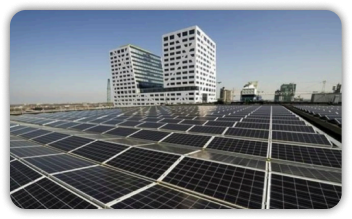
Solar panels

After facts and figures about solar panels and via Dilemmas, you present participants with a number of statements about how roofs can be used. Then, using Quadrants and Wordclouds, you discuss which types of roofs are most suitable.

See all templates

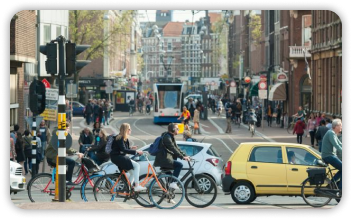
Mobility

You use the Brown Paper to get participants to indicate on digital post-it notes how mobility can be made more sustainable. You pick the most important methods and use a Grading to let participants indicate their preparedness to use them.

See all templates

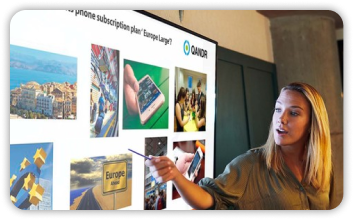
Target group mapping

Lorem ipsum dolor sit amet, consectetur adipiscing elit, sed do eiusmod tempor incididunt ut labore et dolore magna aliqua. Ut enim ad minim veniam, quis nostrud exercitation ullamco laboris nisi ut aliquip ex ea commodo consequat.

See all templates

Read what facilitators have to say about QANDR

Why opt for a deeper dialogue?

quotes

QANDR is a tool that gives space to a digital conversation and inspires and activates participants. This space is created with the movement of their dot and during the conversation you see that they influence each other, change their mind, and come up with new ideas.

read the complete story
Lars Schotel
Participation advisor | Municipality of Utrecht
quotes

QANDR enables us to make the group discussion more dynamic. It allows the moderator to accommodate a wider range of opinions, by first asking for a response and then for an explanation. People are more evenly given a chance to speak. QANDR also renders the discussion more playful, making it more fun for everyone.

read the complete story
Peter Kanne
Senior advisor | I&O Research
quotes

The pointing technique offered by QANDR is a method to measure what the gut has to say – as opposed to typing words which is more rational. QANDR stands out by facilitating a more intuitive approach to giving responses.

read the complete story
Sander Kluijters
Senior Research Consultant | Motivaction

Focus

Realtime visualisations keep everyone engaged

Inclusive dialogue

Each voice with its own colour visible in the dialogue

AVG-proof

Anonieme gegevensopslag voldoet aan AVG en maakt delen van resultaten gemakkelijk

AVG-proof

Automatische visuele rapportage en exporteer naar Exce
--empty--

Facilitate a visual dialogue

Companies using QANDR

From market research to citizen participation, from training courses to webinars. These are all situations where the approach improves when opinions are visualized in an intuitive way and the participants in the conversation are really listened to. The companies listed below regularly use QANDR.